XE for your browser
Sites ask. You sign.
The XE wallet in your browser's toolbar. It keeps your XE accounts, lets XE apps ask for a payment or a sign-in, and shows you each request in full before anything is signed.
In testing. Not in the Chrome Web Store yet: you install it by hand, in developer mode. Test networks only: XE on them has no value.
01Install
Install version 0.1.0
Chrome Web StoreComing. It is not listed yet, so for now you install it by hand. About five minutes.
Version 0.1.0, built 2026-10-12 from source commit 09022da. Chrome 122 or newer.
Chrome, Edge or Brave
Download version 0.1.0.
Download for Chrome, Edge, Bravexe-extension-0.1.0-chrome.zip, 1.2 MB
Check it. In a terminal, in the folder you saved it to. The command must print the line below it. If it does not, delete the file.
shasum -a 256 xe-extension-0.1.0-chrome.zip1c43740319b5ac83eb3dea914cde82e5650a3644e9ad3da029b8237b30d85a13On Linux
sha256sum; on Windowscertutil -hashfile xe-extension-0.1.0-chrome.zip SHA256.Unzip it into a folder you will keep. The browser runs the extension from that folder every time it starts. If you move or delete the folder, the extension stops.
Open the extensions page and switch on Developer mode, at the top right (in Edge, on the left). Type this in the address bar. In Edge it is
edge://extensions, in Bravebrave://extensions.chrome://extensionsPress "Load unpacked" and choose the folder, the one that has
manifest.jsonin it. XE appears in the list. Its ID there must be this one:hbnjpnjdlippnpefggdhmobnkabanhepOpen it. Press the puzzle icon in the toolbar, pin XE, and choose how to open your wallet.
- Developer mode stays on. The browser runs an unpacked extension only while it is.
- The browser warns you about extensions in developer mode, when it starts and on the extensions page. It says that of any extension installed this way, a harmful one too, which is why step 2 matters.
- No automatic updates. For a new version, come back here, replace the folder's files and press the reload arrow on XE's card.
- Removing the extension removes the wallet in it. Write the recovery phrase down first.
Firefox
Download version 0.1.0. Firefox 128 or newer, on a computer.
Download for Firefoxxe-extension-0.1.0-firefox.zip, 1.2 MB
Check it. In a terminal, in the folder you saved it to. The command must print the line below it. If it does not, delete the file.
shasum -a 256 xe-extension-0.1.0-firefox.zipf1f7d5b7efd55ffeb4796d0a18305ccaa80fa6485ef097fdcaf92c17207eade4On Linux
sha256sum; on Windowscertutil -hashfile xe-extension-0.1.0-firefox.zip SHA256.Open the debugging page. Type this in the address bar.
about:debugging#/runtime/this-firefoxPress "Load Temporary Add-on…" and choose the zip file. XE appears in the toolbar's extensions menu.
- It lasts until Firefox closes. Firefox removes a temporary add-on when it quits. Treat the wallet in it as gone too: keep the recovery phrase and restore from it next time.
- A lasting install needs Mozilla's signature, which this version does not have yet.
- Not in Firefox: a Ledger, XE Wallet on your phone, and signing in with Google, Apple or email. A recovery phrase and XE Vault work.
02What it does
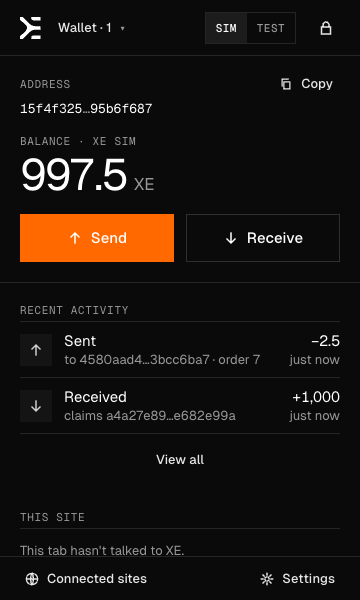
A wallet where the apps are
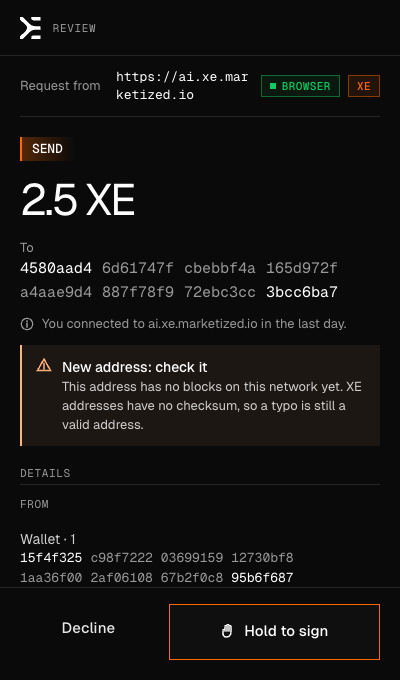
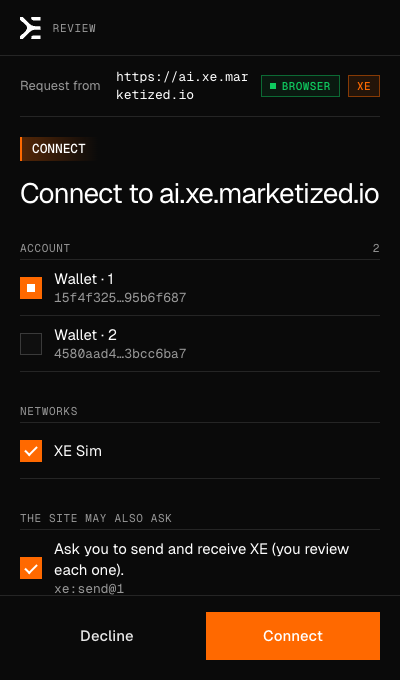
For people who use XE apps in a browser and want the key on their own computer, or on a device of their own. These are the production build's own screens, on XE Sim.
03Reference
Reference
Ways to open a walletA recovery phrase, a sign-in, or a key kept on another device.
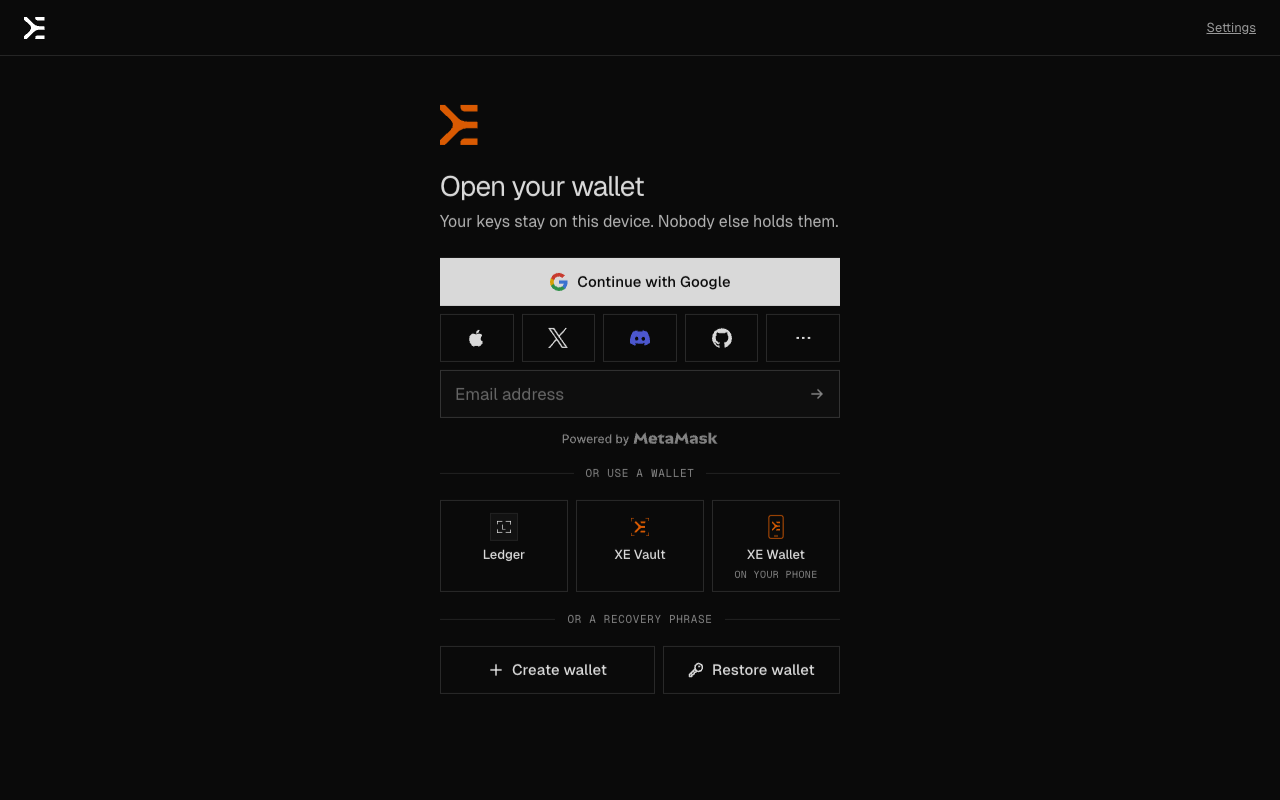
- A recovery phrase. Create one (12 or 24 words) or restore one. The phrase is encrypted on this computer with a passphrase you choose. A passkey can unlock it too.
- A sign-in: Google, Apple, X, Discord, GitHub, email and others, through MetaMask Embedded Wallets. The same sign-in opens the same account in every XE wallet. Nothing is saved by default: the key lasts until the wallet locks, and signing in again brings it back.
- An account whose key can be changed. From Settings, a sign-in's account can be moved to one that keeps its address when its key is replaced.
Keep the key somewhere elseA Ledger, XE Vault, or XE Wallet on your phone signs.
With a signer the key never enters the browser. The extension shows the review, then hands the request to the device, and checks the signature that comes back.
- Ledger, over USB, with the XE app for Ledger devices. Chrome, Edge and Brave only: Firefox cannot reach USB devices this way.
- XE Vault, an offline phone. The extension shows a QR code, the phone shows one back, and the computer's camera reads it.
- XE Wallet on your phone. Scan a code once to pair. After that each payment is sent to the phone and approved there. The pairing is encrypted end to end: the relay between them cannot read it. It does not work in Firefox, where an extension has no fixed identity for the phone to hold on to.
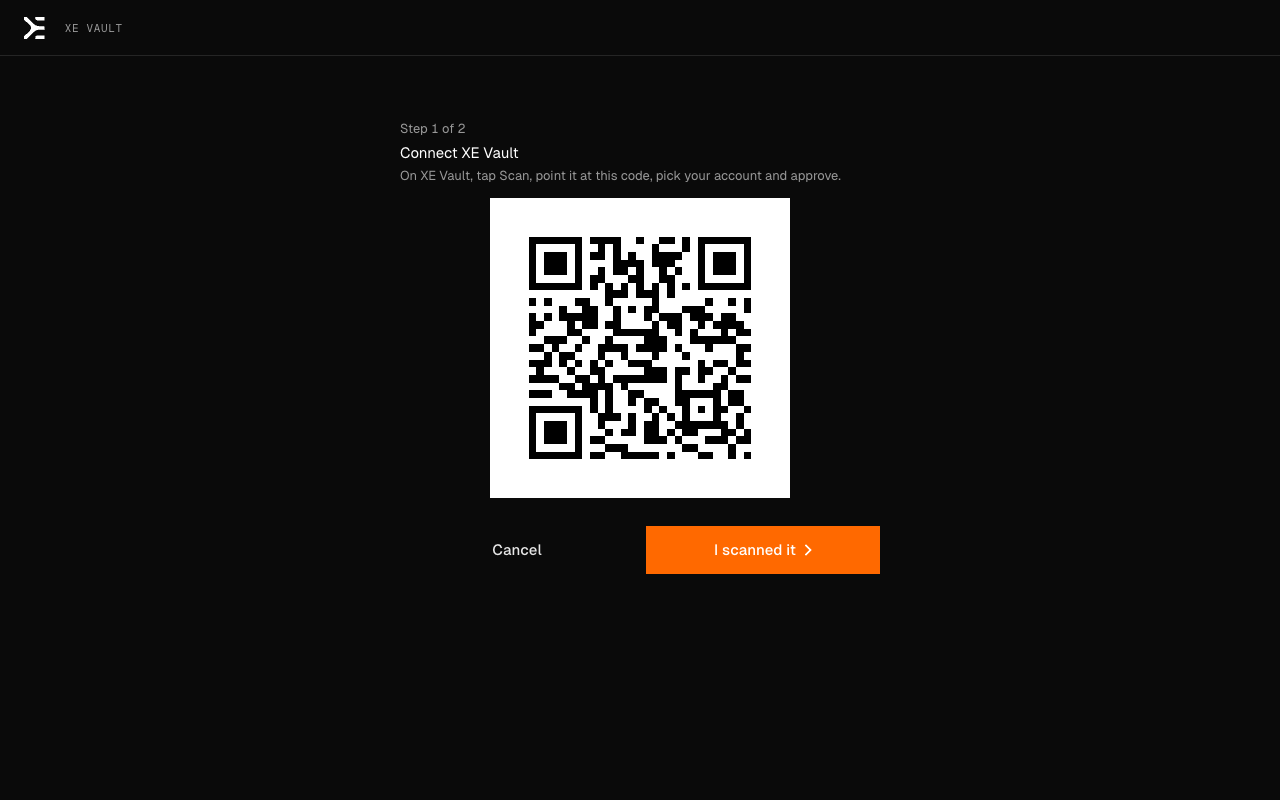
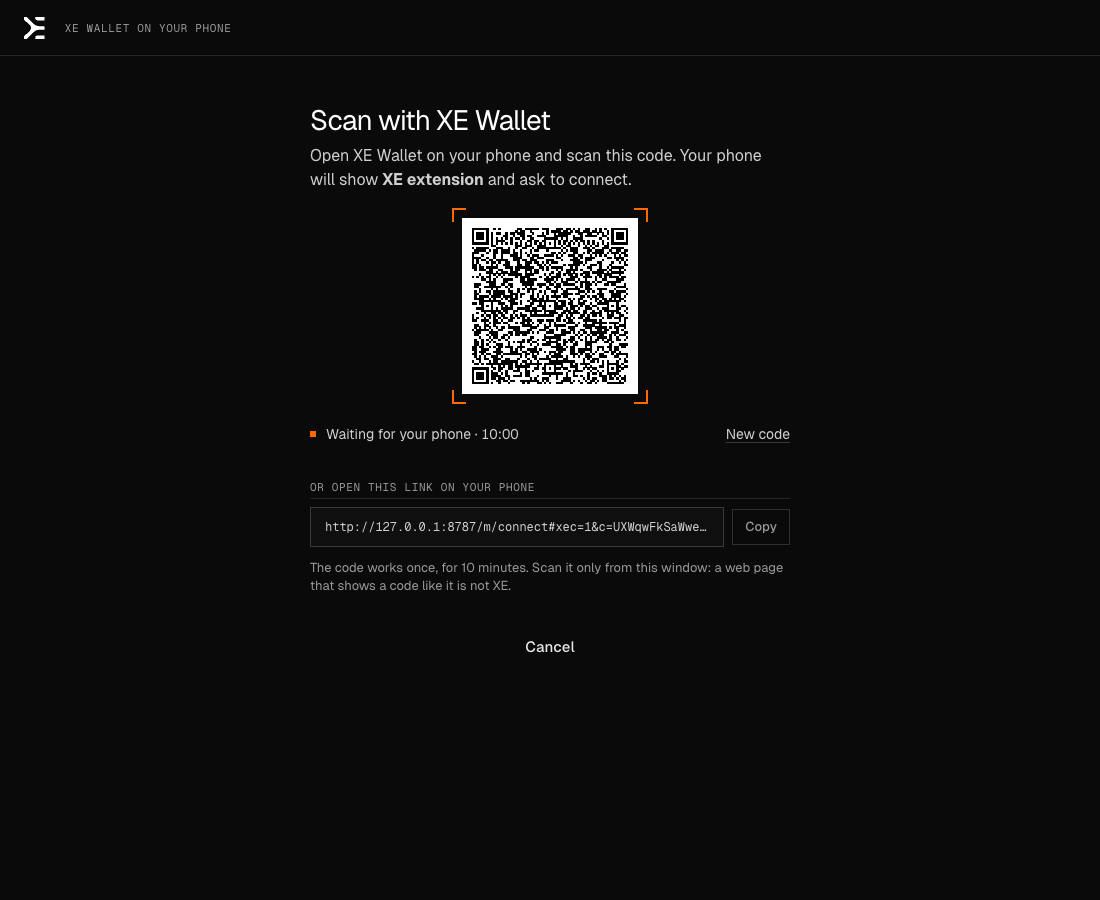
None of the three has been used with a real device yet: see "Open questions".
What a site can and cannot askIt can ask for a signature. It can never take one.
A site can:
- See that XE is installed. Nothing about you.
- Ask to connect. You pick the account and the network, and what else it may ask for. You can disconnect it at any time under Connected sites.
- Ask you to sign in, to send or receive a payment, or to give a key of its own a spending limit on your account. Each opens the wallet's window, never a box on the page.
A site cannot:
- Read your accounts or balance before you connect it, or sign anything without your review.
- Have a block signed that hands out or changes authority over an account, disguised as a payment. That is refused before you are asked.
- Pass as another site. The wallet takes a site's address from the browser, not from the page, and refuses a sign-in that names a different site.
- Reach the wallet from a frame inside another page, or open window after window: one request per site at a time, and three declines pause it.
The review warns about a new address, a site or address that imitates one you know, and a payment that is a large share of your balance. XE addresses have no typo check, so a mistyped one is still valid.
Where your keys areOn this computer, encrypted, or on a device of yours.
- On this computer. A recovery phrase is encrypted with your passphrase (Argon2id) and stored by the browser for this extension. Only the encrypted form is on disk.
- Nowhere else. No server has a copy. Lose the phrase and the passphrase, and nobody can restore the wallet.
- It locks itself: after 15 minutes idle, when the computer locks, and after 8 hours at most. Locked, the key is not in memory.
- Signing happens in the extension's background, in WebAssembly built from the code XE's other wallets use. Pages and sites never hold a key.
- No code from the network. Everything it runs is in the package. It talks to XE's nodes and, when you sign in or pair a phone, to those services. Nothing else: no analytics. See privacy.
- It runs on every site so that any XE app can find it. That part announces the wallet and passes requests. It reads nothing from the pages you visit.
Check the downloadBoth files with their SHA-256, and the extension's ID.
Version 0.1.0, built 2026-10-12 from source commit 09022da.
- Chrome, Edge, Brave (1.2 MB)xe-extension-0.1.0-chrome.zip1c43740319b5ac83eb3dea914cde82e5650a3644e9ad3da029b8237b30d85a13
- Firefox (1.2 MB)xe-extension-0.1.0-firefox.zipf1f7d5b7efd55ffeb4796d0a18305ccaa80fa6485ef097fdcaf92c17207eade4
shasum -a 256 on macOS, sha256sum on Linux, certutil -hashfile … SHA256 on Windows. The same list for scripts: /releases/manifest.json.
In Chrome, Edge and Brave the loaded extension's ID must be:
hbnjpnjdlippnpefggdhmobnkabanhepWhat this does and does not prove. A matching checksum means the file is the one this site published. The source is not public yet, so you cannot rebuild the package and compare. The checksum is on the same site as the file: someone who could change one could change the other.
Open questionsWhat has not been tried or decided yet.
- No security audit.
- No real device yet. A Ledger, XE Vault and a phone were each tested with a software stand-in.
- Signing in with a provider is tested up to the provider's own page. A person has not yet completed one in the extension.
- The ID will change in a store. A store gives the extension its own ID, which makes it a separate extension from this file. A wallet moves by its recovery phrase.
- Firefox has no lasting install until Mozilla signs a version.
- Edge and Brave run Chrome's package. It was tested in Chromium, not in each of them.
The other XE walletsThe same accounts on the web, on your phone, in MetaMask, on a Ledger.
- XE Web Wallet. Nothing to install: a page. The extension is for apps on other sites, which a page cannot serve. The same recovery phrase or sign-in opens the same accounts in both.
- XE Wallet on your phone. A wallet of its own, and a signer for this extension.
- XE Vault. A phone kept offline that signs by QR code.
- XE Snap for MetaMask. XE accounts under MetaMask's own recovery phrase. A different wallet from this one, with different accounts.
- XE app for Ledger devices. The key on a Ledger. This extension can be its screen.
Status in fullTest networks, no audit, source not public yet.
- Test networks only: XE Sim and the XE testnet. XE on them has no value. There is no main network in this version.
- Not in any store. Not the Chrome Web Store, not Edge Add-ons, not addons.mozilla.org. Nobody outside XE has reviewed this package.
- No security audit.
- Source not public yet. It will be published with the first public release.
- Tested with automated tests, and this exact package on XE Sim: a new wallet, the faucet, payments both ways, locking, a site's sign-in and payment, and a site's attempt to take authority, refused.
- Session keys: a site can be given a key with a spending limit, on XE Sim only.